Category:Wing Commander
| Wing Commander | |
|---|---|

| |
| Platform | MS-DOS Amiga CD-32 FM Towns Macintosh SegaCD / MegaCD Super Nintendo (SNES) |
| Engine | Origin FX |
| Release Date | September 26, 1990 November 20, 1992 (SNES/Amiga) March 1, 1993 (CD-32) March 24, 1994 (SegaCD/MegaCD) November 14th, 2006 (EA Replay) August 25, 2011 (GOG) |
| Language | English Japanese |
Wing Commander is a computer game first released on September 26, 1990 for MS-DOS. Wing Commander virtually created the space combat simulation genre when it arrived in the fall of 1990. It wasn't the first game where players flew a ship around in space, but it was the first to combine cutting edge graphics, a branching mission tree, complex characters and an exciting storyline. As a rookie pilot aboard the TCS Tiger's Claw, the player was introduced to the vicious feline Kilrathi. Over the course of dozens of missions, the Terran Confederation managed to force the Empire of Kilrah out of the Vega Sector. PC gamers used the original Wing Commander game to show off their powerful new 386 machines to their friends. The game exuded style and polish from the cockpit hand that followed players' joystick movements to the dripping bucket in the barracks. Wing Commander was followed by two expansions: Secret Missions 1 and The Secret Missions 2: Crusade. In september 1991 the sequel Wing Commander II: Vengeance of the Kilrathi was released.
Box Description

"Wingleader One! Wingleader One! Bogies all around! Can't shake 'em!"
"Hold on, Hunter, I'm on my way!..."
You're a starfighter pilot, the best of the best, but nothing in your training prepared you for action this hot. Deepspace dogfights against Kilrathi aces are deadly, and the future of humanity is on the line each time you fly!
Wing Commander puts you in the middle of the most intense starship action you've ever experienced outside of a movie theater. But in Wing Commander, you're the star!
- Experience ORIGIN's amazing new-state-of-the-art computer graphics and sound system.
- Marvel at the detailed, ray-traced, bit-mapped images in ORIGIN's cutting-edge 3-D technology.
- Thrill to the dynamic soundtrack that senses the action on-screen and alters the pacing, tempo, and mood of the music to match!
- Advance in rank while piloting one of four unique Terran spacefighters against a deadly array of enemy ships.
- See the action from all angles using Wing Commander's player controlled camera.
- Count on your wingman, a skilled pilot, thanks to the advanced Wing Commander artificial intelligence system, but don't get cocky. The enemy flies intelligently too!
- Play individual missions for fun or join in an elaborate campaign designed to test your reflexes and strategic skills.
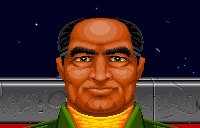
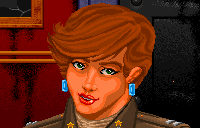
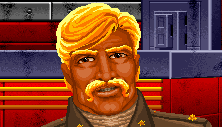
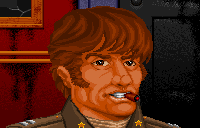
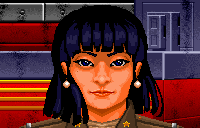
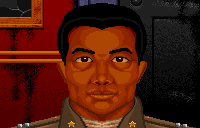
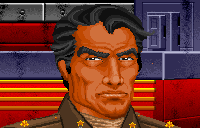
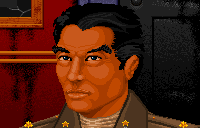
Characters
 |
 |
 |
 |
 |
 |
 |
 |
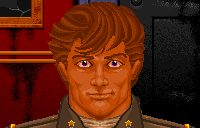 |
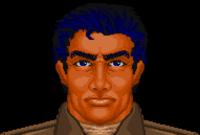 |
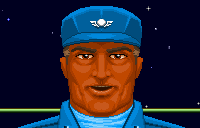 |
Ships
Terran Confederation
- Fighters
 |
 |
 |
 |
- Capital Ships
 |
 |
 |
 |
|
 |
Empire of Kilrah
- Fighters
 |
 |
 |
 |
 |
 |
- Capital Ships
 |
 |
 |
- Installations
 |
Weapons
Guns
Missiles
- Dumb-Fire Missile
- Heat-Seeking Missile
- Image-Recognition Missile
- Friend or Foe Missile
- Porcupine Mine
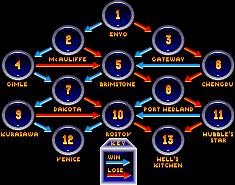
Missions
Clicking on the system name will bring you to the first mission in that system.

Controls
PC & Amiga
Afterburner	Tab
Fire guns	Space
Fire missile	Enter
Accelerate	+
Decelerate	-
Full stop	Backspace
Look left	F2
Look right	F3
Look forward	F1
Look behind	F4
Chase view	F5
Battle view	F6
Tactical view	F7
Missile view	F8
Tail view	F9
Cycle weapons	W
Cycle guns	G
Cycle targets	T
Lock target	L
Damage HUD	D
Autopilot	A
Comms select	C
Nav Map 	N
Eject	   	Ctrl-E
CD32
Afterburner	Blue
Fire guns	Green
Fire missile	Yellow
Roll left	Red + Left
Roll right	Red + Right
Accelerate	Red + Up
Decelerate	Red + Down
"Super Brake"	Red + Green
Look left	Left top + Left
Look right	Left top + Right
Look forward	Left top + Up
Look behind	Left top + Down
Chase view	Left top + Red
Battle view	Left top + Blue
Tactical view	Left top + Green
Cycle weapons	Right top + Left
Cycle guns	Right top + Up
Cycle targets	Right top + Right
Lock target	Right top + Down
Damage cycle	Right top + Red
Autopilot	Right top + Blue
Comms select	Right top + Green
Comms cycle	Right top + Yellow
Music on/off	Right top + Left top + Left
Sound effects	Right top + Left top + Up
Video suppress	Right top + Left top + Right
Message speed	Right top + Left top + Down
Missile camera	Right top + Left top + Red
Version number	Right top + Left top + Blue
Nav Map		Right top + Left top + Green
Eject		Right top + Left top + Pause
Pause		Pause
SNES
Controls supplied by Liz Calkins.
Afterburner	Y
Fire guns	B
Fire missile	A
Accelerate	R
Decelerate	L
Cycle weapons	Select+B
Cycle guns	Select+A
Cycle targets	Press X to view the Navigation Map;
		press A to select an available Nav point;
		press Start to confirm the new objective and resume play.
Autopilot	Select+Y
Comms select	If there is one recipient, press Select+X to select a message from the list;
		press X to send it. If multiple recipients are available,
		press Select+X to select a person;
		press X to confirm the choice. Then send the message as shown above.
Nav Map		X: go to nav map
		A: Select next Nav point (in nav map)
		Start: Confirm Nav point change (in nav map)
Eject		Select+Start+R
Pause		Start
Switch VDU 	Select+L: Choose between Weapons Display or Damage Display in left VDU
Sega CD
Controls supplied by Alonzo Wilkins. Pre-flight Functions:
D		Move the cursor to select option
A 		Begin selected action
B 		Skip entire conversation/animation
A or C 		Skip one line of conversation
S 		Start game/Pause
In-Flight Functions:
D 		Move the ship left, right, up and down
A 		Fire gun
AB 		Launch missile
B and up  	Speed up
B and down	Slow down
B and left	Roll left
B and right	Roll right
Bx2	 	Apply afterburner burst (keep pressed the second
		time for continous afterburners)
S^ or S\/ 	Cycle views (External views and Cockpit)
S and up	Cycle views up (Starboard/Rear/Port/Cockpit)
D and down	Cycle views down
SAB	 	Toggle Missile Camera (on/off)
BC	 	Autopilot
SBC 		Eject from ship
VDU Functions, 3 button controller:
SA 	 	Cycle through Left VDU modes (Weapon/Gun/Damage)
SC 	 	Cycle through Right VDU modes (Communications/Nav/Target)
C 	 	Cycle through avaialble options
SB 	 	Lock/Unlock target (If in Autotargeting mode)
SB 	 	Select Reciever/Send Message (If in Communications mode)
SB 	 	Display Nav map/pause game (If in Navigational mode)
A 	 	Accept Nav point and return to cockpit (if in Nav map)
VDU Functions, 6 button controller:
X 	 	Cycle through Left VDU modes (Weapon/Gun/Damage)
Z 	 	Cycle through Right VDU modes (Communications/Nav/Target)
C  		Cycle through available option
Y  		Lock/Unlock target (If in Autotargeting mode)
Y  		Select Receiver/Send Message (If in Communications mode)
Y  		Display Nav map/pause game (If in Navigational mode)
Y  		Accept Nav point and return to cockpit (if in Nav map)
3DO (SWC)
Afterburner		Left top + Right top
Fire guns		C
Fire missile		A
Accelerate		B + Up
Decelerate		B + Down
Chase view		Stop + C
Battle view		Stop + A
Cycle weapons		Left top + A
Cycle guns		Left top + C
Cycle targets		Right top + A
Autopilot		Right top + C
Break and attack	Stop + Up
Attack my target	Stop + Up
Taunt			Stop + Right
Request assistance	Stop + Left
Request landing		Stop + Down (with Tiger's Claw targeted)
On board computer	Stop + B
Macintosh (SWC)
Establish Joystick Control	Clover key + J
Establish Keyboard Control	Clover key + K
Establish Mouse Control		Clover key + M
Toggle hotspots 		Tab (onboard Tiger's Claw)
Switch to battle view		Clover key + D
Switch to chase view		Clover key + F
Switch to cockpit view		Clover key + Y
Increase speed			+
Decrease speed			-
Complete stop			S
Afterburner			Tab
Autopilot			A
Cycle targets			T
Toggle guns			G
Toggle weapons			W
Onboard computer		C
Order Break and Attack		B
Send taunt			E
Order Help Me Out		H
Request landing 		R (with Tiger's Claw targeted)
Order form on my wing		R
Eject				Available through onboard computer
Display small graphics		Clover key + 1
Display medium graphics		Clover key + 2
Display large graphics		Clover key + 3
Toggle music on/off		Clover key + U
Toggle sound on/off		Clover key + N
System Requirements
- IBM PC or compatible
- 12+ MHz x86 CPU
- 640 KB RAM
- Dual FDD or HDD
- 256-color VGA/MCGA or EGA/Tandy
- Optional sound card (opt. General MIDI)
Box Contents


- Blueprints
- Claw Marks
- Secret Missions SNES Manual
- Super Wing Commander Claw Marks
- Super Wing Commander Playguide
- WC I Install Quickstart Guide
- WC I Reference Card
- WC I SNES Text Instructions
- WC I Secret Missions 2 Reference Card
- WC I Secret Missions Joan's Supplement
- WC I Secret Missions Reference Card
- WC I Super Famicom Manual
- Wing Commander MegaCD Manual
- Wing Commander SNES Manual
- Wing Commander SegaCD Manual
Credits
Designed & Directed by
Chris Roberts
Software Engineers
Chris Roberts, Steve Muchow, Paul Isaac, Steve Beeman,
Ken Demarest III, Herman Miller
Dogfight Intelligence
Ken Demarest III
Dogfight Choreography
Steve Beeman, Erin Roberts
3 Space System
Chris Roberts
ORIGIN Graphic Systems
John Miles, Chris Roberts
ORIGIN Sound System
Herman Miller
Artwork
Denis Loubet, Glem Johnson, Daniel Bourbonnais,
Keith Berdak, John Watson
Screenplay
Jeff George
Additional Written Material
Steve Cantrell, Philip Brogden
Musical Score
George A. Sanger, David Govett
Sound Effects
Marc Schaefgen
Quality Assurance
Marc Schaefgen, Philip Brogden, Steve Cantrell, Greg Paul Malone II,
Erin Roberts, Mike Romero, Jeff Shelton, Scott Shelton,
Brian Tompkins, John Watson
Produced by
Chris Roberts and Warren Spector
Additional Graphics (Amiga)
Herman Serrano
Amiga Music
Mark Knight
Voice Cast
Sega MegaCD
- Shotglass - Takeshi Aono (青野武)
- Paladin - Yusaku Yara (屋良有作)
- Angel - Yumi Tōma (冬馬由美)
- Colonel Halcyon - Gorō Naya (納谷悟朗)
- Narrator - Yusaku Yara (屋良有作)
- Player (Lyle "Eagle" Starbuck) - Ryōtarō Okiayu (置鮎龍太郎)
- Spirit - Aya Hisakawa (久川綾)
- Hunter -
- Knight -
- Iceman - Chikao Ōtsuka (大塚周夫)
- Maniac -
- Bossman -
Advertising
PC
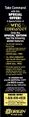
Ad for the special edition of WC in Computer Gaming World nr 77, December 1990.
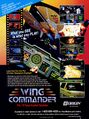
A full-page special edition ad in Computer Gaming World nr 78, Jan 1991.


SNES

Previews
In English unless specifically stated otherwise.
PC
Zero magazine, issue 14, Dec 1990

Reviews
In English unless specifically stated otherwise.
Commodore Amiga
Amiga Format, issue 44, March 1993.


Datormagazin, Feb 1993. (Swedish)


C U Amiga, issue 34, 1993.


Amiga CD32
Amiga CD32 Gamer magazine, issue 1

PC/MS-DOS
Advanced Computer Entertainment, issue 39, dec 1990


Computer Gaming World nr 77, December 1990


Game Player's PC Strategy Guide, Jan 1991


SNES


Super Play magazine issue 5, March 1993 (UK)
.jpg)
Sega-CD
Sega Visions, issue 93.

GamePro magazine (US), issue 60.

Versions
- Deluxe Edition: Included WC1, SM1, & SM2
- Deluxe Edition CD: Included WC1, SM1, & SM2
- Kilrathi Saga Edition: Windows 95 version, SM1 & SM2 freely downloadable
Ports
3DO
This is 'Super Wing Commander'. All of the graphics are redone in Privateer-level VGA. It has some new 'bridge' plot points (characters occasionally mention stealth fighters) and a 'middle' set of addon (SM1.5!) missions about blowing up the Sivar's base. Full speech, ships look different, people look different, etc. Amazingly, of all the ports this one *plays* most similar to the original game.
Commodore Amiga
The Amiga conversion was made by Nick Pelling. The Amiga version (except Amiga CD32) have lower color graphics available due to the limited hardware. On a standard Amiga 500 there were only OCS graphics and 512 kb RAM which meant several original PC features was left out. An example found on the 500 version is that the flightstick doesn't move and there are no video-coms during flight, only text. There are also no fly-by or landing sounds. The weapon sounds of the funeral have also been left out. Another main difference is that the fighters menu in the trainsim has 'rotating' images of the fighters instead of simple VDU line drawings. The Secret Mission expansions were not released for the Amiga. On a Amiga 1200 the hand-animations and video-coms are present.
CD32
More powerful than the Amiga 500 with a Motorola 68EC020 14 mhz CPU, 2MB RAM and AGA Graphics.
FM Towns
Visually identical to the PC version - the only significant change is that it has a Redbook audio soundtrack instead of MIDIs and Japanese speech inflight. The FM Towns is a Japanese computer. They were the first computers to ship with CD-ROM drives standard -- so the FM Towns ports of many early Origin games have full speech (Ultima 6 is the famous one).
Macintosh
(See 3DO.)
SegaCD / MegaCD
The SegaCD version is visually similar to the original PC release, but it also includes full speech (and the requisite awkward console control scheme). The Sega CD was called the Mega CD in Europe and Japan.
SNES
Another low (16?) color version. The SNES version has a host of weird Nintendo-requested minor changes (the Blue Devils are the 'Blue Angels' - things like that). There's some obvious tricks to get around the low amount of memory on an SNES cart, too - for instance, SNES WC1 doesn't have unique graphics for the Jalthi... it's just a Salthi that's been turned green. There is also a seperate, stand-alone SNES version of the Secret Missions addon... it's fairly cool, as it includes a unique intro sequence (Kilrathi talking about the Sivar weapon) and an 'extended' Tiger's Claw takeoff scene that makes use of some Mode-7 landscaping stuff.

Strategy Guides

Re-Releases
Screenshots
PC


Mega-CD


Amiga
.png)
.png)
.png)
.png)
.png)
.png)
.png)
.png)
.png)
.png)
.png)

Development

Computer Gaming World article about professional artists working on video games -- which, it's hard to believe, was a fairly new concept at the time. The exciting aspect for Wing Commander fans, however, is the picture seen below (left): a landscape which was designed for but not used in the original Wing Commander. The caption reads: "'Water World' (Glen Johnson) Landscape removed from Wing Commander." Where could it have appeared? It's anyone's guess -- but a water planet, Hurricane, does appear in one of Wing Commander's winning/losing cutscenes -- it's pictured below (right)

Patches / Addons
Origin
Editing Tools
- 3D Ship Viewer
- Mission Editing Information
- Ship Graphic Viewer (Wing Commander)
- Taunt Editor
- WC1, WC2 and Privateer editing information
- WCEDIT
- WCSAV
- WCVIEW
- Wing Commander Mission Editor
Miscellaneous Files
- 2000 PC Gamer Coverdisk Release
- Intro Animation
- Magic DosBox Template for Android
- Scimitar Flight Animation
- Unpacked MODULE.000 file
- WC1 Box Winamp skin
- Wing Commander Vector Logos
Music
Tracks from Origin Audio CD Volume 1
- Wing Commander - Briefing and Scramble by The Fatman
- Wing Commander - Briefing and Launch by The Fatman
- Wing Commander - Fanfare, The Main Theme by David Govett
- Wing Commander - Flying to Dogfight by The Fatman
- Wing Commander - Regular Combat by David Govett
- Wing Commander - Heroes Funeral by David Govett
- Wing Commander - Swing Commander by The Fatman
- Compilation of the above (9:06) - 7,960k
Thanks to Sébastien Caty and Joe Garrity. (Details, more)
High Quality tracks
Live recordings
- Wing Commander Theme (surf music) by The Fatman and Team Fat (2:49) - 2,600K, Details
SegaCD audio tracks
- Track 2 - General Music
- Track 3 - Winning Endgame
- Track 4 - Losing Endgame
- Track 5 - Carrier Destroyed
- Track 6 - General Music
- (Details)
Super Nintendo tracks
These music files are originally in .rsn format. See here for information on how to play these on Windows or Mac.
Amiga tracks
The music for the Amiga port of Wing Commander I is in .mod format. There are a variety of ways to play .mod files on modern systems. You can also download convenient MP3 conversions.
- Original soundtrack files (.mod) Download, Details
- Amiga soundtrack converted to MP3 Download, Details
FM Towns audio tracks
Various tracks (MP3)
- Theme
- Bar
- Barracks
- Briefing
- Takeoff(Scramble)
- Flight Patrol
- Flight Strike
- Flight Success
- Flight Rendezvous
- Simulator
- Welcome Back
- Unsuccessful Mission
- Successful Mission
- Halcyon's Office
- Death - Funeral
- Bronze Star
- Silver Star
- Gold Star
- Gold Sun
- 45 MIDIs
Manuals and Game Documentation
- Blueprints
- Claw Marks
- Kilrathi Saga Manual
- Secret Missions SNES Manual
- Super Wing Commander Claw Marks
- Super Wing Commander Playguide
- WC I Install Quickstart Guide
- WC I Reference Card
- WC I SNES Text Instructions
- WC I Secret Missions 2 Reference Card
- WC I Secret Missions Joan's Supplement
- WC I Secret Missions Reference Card
- WC I Super Famicom Manual
- Wing Commander Collectible Trading Card Game Manual
- Wing Commander Help File
- Wing Commander MegaCD Manual
- Wing Commander SNES Manual
- Wing Commander SegaCD Manual
Cheats
DOS Edition
- Start the game with "wc Origin" at the command line to enter debug mode.
- Alt-Del destroys target. Alt-Ins destroys targetted enemy wing.
- Start the game with wc.exe Origin -k.
- Same as above, plus invincibility.
Kilrathi Saga Edition
- With invincibility off, open wingcmdr.cfg. Make sure it contains -k -b. Turning invincibility back on may cause your name to change back to CHEATER.
- Player name is no longer replaced with "CHEATER" when invincibility is enabled.
Cutscenes
Subcategories
This category has the following 8 subcategories, out of 8 total.
W
- Wing Commander Press (3 F)
Pages in category "Wing Commander"
The following 16 pages are in this category, out of 16 total.
Media in category "Wing Commander"
This category contains only the following file.
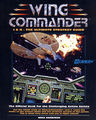 Wc12guide-new.jpg 2,184 × 2,729; 2.27 MB


